
Smart Grocery Shopping Apps and Browser Extensions: Your Secret Weapon for Savings and Sanity
Have you ever stared at your grocery receipt and felt a pang of regret? Or maybe you’ve wandered the aisles, lost in a sea of products, unsure of what you truly need? You’re not alone. Many of us struggle to make grocery shopping efficient and budget-friendly. It often feels like a chore, eating up precious time and money. But what if there was a way to make it simpler, smarter, and even a little bit enjoyable?
What if your phone or computer could be your ultimate shopping sidekick? This is where smart grocery shopping apps and browser extensions come in. They are like having a personal assistant for your pantry and your wallet. They help you plan, save, and buy better. Let’s dive into how these tools can transform your shopping trips from a headache into a win.
Smart grocery shopping apps and browser extensions help you plan meals, create lists, find deals, and compare prices. They streamline your shopping, reduce impulse buys, and help you save money and time on every grocery run.
What Are Smart Grocery Shopping Apps and Browser Extensions?
Think of these tools as your modern-day shopping cart and list combined, with a few extra super-powers. They are digital helpers designed to make the entire grocery process smoother.
Grocery Shopping Apps
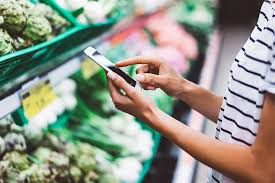
These are programs you download onto your smartphone or tablet. They live on your device and are ready when you are.
List Making: You can type in items, scan barcodes, or even add things with your voice. The app keeps your list organized.
Meal Planning: Many apps let you plan out your meals for the week. Then, they automatically add the ingredients to your shopping list.
Deal Finding: They often link to store flyers or can alert you to sales on items you frequently buy.
Price Comparison: Some apps can even compare prices across different stores for the same item.
Recipe Integration: You can find recipes and add all the needed items to your list with a tap.
Browser Extensions
These are small software add-ons for your web browser (like Chrome, Firefox, or Safari). You install them on your computer. They are especially useful when you shop online.
Online Deal Alerts: As you browse a store’s website, the extension might pop up with coupons or promo codes it finds.
Price Tracking: For online shoppers, extensions can track price history. This helps you know if a sale is truly a good deal.
Cashback Offers: Some extensions connect you to cashback programs. You get a percentage of your purchase back.
Comparison Shopping: They can automatically search for better prices on the item you’re looking at across other websites.
Why Should You Care About Smart Grocery Shopping?
The truth is, grocery shopping can be a big part of our budget. For an average U.S. household, groceries can cost hundreds of dollars each month. Plus, think about the time spent traveling to stores, walking aisles, and checking out.
Using smart tools can change this. You can:
Save Money: Find coupons, compare prices, and avoid buying things you don’t need.
Save Time: Plan ahead, get organized, and shop faster, both online and in-store.
Reduce Food Waste: Buy only what you need when you plan meals. This means less food goes into the trash.
Shop Smarter: Make informed choices about what you buy based on price and need.
This isn’t about being cheap. It’s about being wise with your resources. It’s about making your life easier.
My Own Grocery Shopping Wake-Up Call
I remember a time, not too long ago, when grocery shopping was a source of pure dread for me. It was usually a Saturday morning affair. I’d drag myself to the big supermarket, armed with a vague mental list. I’d wander through aisles, grabbing things that looked good or that I thought I might need.
One particular Saturday, I was trying to make a complicated chicken dish. I needed a specific herb. I spent twenty minutes searching the produce section. Then another ten minutes looking in the spice aisle. I couldn’t find it anywhere. Frustrated, I ended up buying a dried, less flavorful version.
When I got home, I realized I’d also bought three types of chips I didn’t need. Plus, some fancy cheese that went bad before I could eat it. My bill was much higher than I expected. And I still didn’t have the fresh herb I wanted for my dinner.
That’s when I thought, “There has to be a better way.” I started looking into apps. I felt a bit silly at first. Was a phone app really going to solve my grocery woes? But I was willing to try anything. The first app I used helped me make a clear list. Then, it showed me which items were on sale at my preferred store. It was like a light bulb went off. I was suddenly in control.
The Core Components of Smart Grocery Shopping
At its heart, smart grocery shopping is about preparation and information. It’s about knowing what you need before you go. It’s about knowing what you’re paying and what you’re getting.
Meal Planning
This is the foundation. When you plan your meals, you know exactly what ingredients you’ll need for the week.
Reduces Impulse Buys: If it’s not on your planned meal list, you’re less likely to grab it.
Minimizes Waste: You buy only what you’ll cook and eat.
Saves Time: No more last-minute dashes to the store for forgotten items.
Many apps have built-in meal planners. You can save favorite recipes and drag them onto a calendar.
List Management
A well-made grocery list is your best friend. Smart apps take this to the next level.
Categorization: Lists are often sorted by aisle. This saves you from running back and forth in the store.
Sharing: You can share your list with family members. This helps everyone contribute to the planning.
Smart Additions: Apps can suggest items you might need based on past purchases.
Deal and Coupon Finding
This is where the savings really start to add up.
Digital Coupons: Many stores offer coupons you can “clip” directly in the app.
Loyalty Programs: Apps often integrate store loyalty cards. You get points and discounts automatically.
Weekly Ads: You can browse digital versions of weekly store flyers.
Browser Extensions: These scan the web for coupon codes as you check out online.
Price Comparison
Knowing the best price is key.
In-App Price Checks: Some apps let you scan an item at home. Then, they tell you where it’s cheapest nearby.
Online Comparison: Browser extensions excel at this for online shopping. They show you if another site has a lower price.
Popular Apps and Extensions to Explore
The digital marketplace is full of helpful tools. Here are a few types and examples that get a lot of love.
Top Grocery List Apps
These apps focus on making your list smart and your shopping organized.
Out of Milk: This is a classic. It’s simple and effective for list-making. It also has a barcode scanner.
AnyList: A powerful option that lets you share lists easily with others. It also has recipe building.
Cozi Family Organizer: More than just a grocery app, it’s a family hub. The grocery list is a key feature.
Apps for Finding Deals and Saving Money
These go beyond basic lists to help you stretch your dollar.
Ibotta: This is a popular cashback app. You unlock offers before you shop, then scan your receipt.
Fetch Rewards: Snap a picture of any receipt and earn points. You can redeem points for gift cards. It’s super simple.
Store-Specific Apps: Most major grocery chains have their own apps (e.g., Walmart, Kroger, Target). These have digital coupons and loyalty programs.
Helpful Browser Extensions
These are best for online shopping or for finding digital coupons for in-store use.
Honey: This is a very popular extension. It automatically finds and applies coupon codes at checkout. It also has a rewards program.
Rakuten (formerly Ebates): This extension finds and activates cashback offers from thousands of online stores.
Capital One Shopping: Another great tool that compares prices across different retailers and finds coupons.
Quick Scan: Your Shopping Prep Checklist
Before you even open an app, think about:
- What meals will you cook? (Aim for 3-5 dinners)
- What do you already have? (Check fridge, pantry, freezer)
- What staples are running low? (Milk, bread, eggs, coffee)
- Are there any special occasions? (Birthday cake, party snacks)
Real-World Scenarios: How These Tools Help
Let’s look at how these apps and extensions play out in everyday life.
Scenario 1: The Busy Weeknight Dinner Dash
Sarah is a working mom with two kids. Thursday evenings are always hectic. She knows she needs to make spaghetti for dinner. But she can’t remember if she has enough pasta sauce.
Instead of driving to the store, she opens her grocery app. She checks her pantry inventory in the app. Nope, no sauce. She adds “Spaghetti Sauce” to her list. The app immediately tells her that her favorite brand is on sale at the grocery store two blocks away. It also suggests she needs ground beef. She taps to add that too.
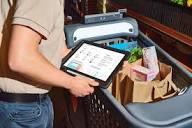
Later, at the store, her list is sorted by aisle. She finds the sauce and beef quickly. She checks off the items. The whole trip takes 15 minutes. She saves a few dollars on the sauce. She avoids buying chips and cookies she saw at the checkout.
Scenario 2: The Online Shopper’s Savings Quest
Mark is buying a new coffee maker online. He’s found one he likes on a big retailer’s website. He’s about to click “Buy Now.”
Suddenly, a little pop-up appears from his browser extension, Honey. It says, “We found 5 coupons for this store!” It automatically tests them. One code gives him 10% off. Another code offers free shipping. The extension applies the best one. Mark saved $15. He also notices the extension shows him the price history of the coffee maker. It tells him he’s buying it at a good price, not just during a fake sale.
Contrast Matrix: Myth vs. Reality
Myth: Grocery apps are complicated.
Reality: Many apps are designed for simplicity. You can start with just basic list-making.
Myth: You need to clip hundreds of coupons.
Reality: Smart tools automate this. Browser extensions find codes for you.
Scenario 3: Preventing Food Waste
Maria loves to cook. But sometimes she buys too many fresh vegetables with good intentions. They end up wilting in her fridge.
She starts using an app that helps her plan meals around what she already has. She looks in her fridge and sees bell peppers and zucchini. She finds a recipe for roasted vegetables that uses them. She adds that recipe to her weekly plan.
Then, she adds the few extra items she needs for the recipe to her grocery list. Because she planned to use the produce, it doesn’t go to waste. She’s saving money. She’s also feeling good about not throwing away food.
How to Choose the Right Tools for You
With so many options, where do you begin? Think about your own habits and needs.
Consider Your Shopping Style
In-Store Shopper: Focus on list apps that sort by aisle and have good deal features. Store-specific apps are great here.
Online Shopper: Browser extensions for coupon finding and price comparison are your best bet.
Both: A combination is often ideal. Use a list app for in-store trips and a browser extension for online orders.
Think About Ease of Use
Start Simple: If you’re new to this, pick one or two easy-to-use apps. Don’t get overwhelmed.
User Interface: Look for apps with a clean, intuitive design. You want to spend time saving money, not figuring out the app.
Look at Features
Recipe Integration: Do you like to cook from recipes? Find an app that links to them easily.
Family Sharing: If you shop with a partner or roommate, shared lists are essential.
Loyalty Card Sync: Does the app connect with your favorite store’s loyalty program?
Stacked Micro-Sections: Key Benefits
Save More Money: Access digital coupons, cashback offers, and price comparisons.
Less Food Waste: Plan meals effectively and buy only what you need.
Reduced Stress: Organized lists and planned shopping trips mean less confusion.
More Time: Efficient shopping gets you in and out faster.
## What This Means for Your Grocery Trips
Using smart grocery shopping tools isn’t about being a tech whiz. It’s about making small changes that have a big impact.
When It’s Normal to Use These Tools
Honestly, it’s normal for almost everyone these days. If you buy groceries, you can benefit.
Budget-Conscious Shoppers: Obviously, saving money is a big plus.
Time-Strapped Individuals: Anyone who feels rushed or too busy for lengthy shopping trips.
Environmentally Aware Consumers: Those looking to reduce food waste.
Anyone Who Wants Less Hassle: If grocery shopping feels like a chore, these tools can help.
When to Be Cautious
While these tools are great, a few things to watch out for:
Over-Reliance on Deals: Don’t buy something just* because it’s on sale if you don’t need it. Stick to your plan.
Privacy Concerns: Be aware of what data apps collect. Read privacy policies.
App Fatigue: Don’t download too many apps. It can become confusing. Stick to what works best for you.
Technical Glitches: Sometimes apps or extensions might not work perfectly. Have a backup plan (like a paper list!).
Simple Checks You Can Do
Before you head out or click ‘order’:
Review Your List: Does it make sense? Did you forget anything essential?
Check Sale Items: Did you add items that are on sale this week?
Look for Digital Coupons: Have you “clipped” any available coupons in your store’s app?
Scan Your Pantry: A quick check ensures you aren’t buying duplicates.
Observational Flow: A Smart Shopping Journey
Step 1: Plan Meals (Use app to pick recipes)
Step 2: Check Pantry (See what you already have)
Step 3: Create List (App adds ingredients, marks sales)
Step 4: Shop Smart (Follow sorted list, use digital coupons)
Step 5: Checkout Online (Browser extension finds codes)
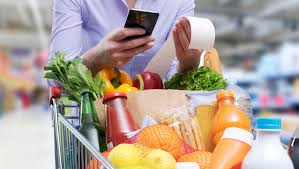
Step 6: Review Receipt (Confirm savings, check for errors)
Quick Tips for Maximizing Savings
Here are some simple ways to get the most out of your smart shopping tools.
Be Consistent: Use your chosen app or extension regularly. The more you use it, the more natural it becomes.
Integrate Loyalty Programs: Make sure your store loyalty cards are linked to your apps. This is often a big source of savings.
Set Up Alerts: Many apps let you set alerts for when favorite items go on sale.
Explore Cashback: Don’t shy away from cashback apps like Ibotta or Fetch. They’re easy to use and add up.
Learn Your Store’s App: Each store’s app has unique features and deals. Get to know yours.
Combine Browser Extensions: Sometimes using Honey and Rakuten together can yield the best results for online orders.
Frequently Asked Questions About Smart Grocery Shopping
Are these apps and extensions safe to use?
Generally, yes. Reputable apps and extensions from well-known companies are safe. Always download from official app stores.
For browser extensions, check reviews and permissions. Stick to popular, trusted options like Honey, Rakuten, or store-specific apps.
Do I need a smartphone to use grocery apps?
Yes, most dedicated grocery shopping apps are designed for smartphones and tablets. Some might have a web version for computers, but the mobile app experience is usually richer. Browser extensions, however, are for computers.
Can these tools help me eat healthier?
Yes, indirectly. By planning meals, you can choose healthier recipes. Some apps also allow you to search for specific dietary needs (e.g., organic, gluten-free) and compare prices for those items.
Focusing on your list helps you avoid impulse buys of less healthy snacks.
How do cashback apps like Ibotta really work?
These apps partner with stores and brands. You activate an offer within the app before shopping. After your purchase, you scan your receipt or link your loyalty card.
The app verifies the purchase, and a small amount of money is credited to your account. You can then redeem this money via PayPal, gift cards, or direct deposit once you reach a certain threshold.
Is it worth the time to learn how to use these tools?
For most people, absolutely. The initial time spent learning one or two tools often pays for itself many times over in savings and reduced stress. Think of it as an investment in smarter, more efficient living.
Can these tools help with specific diets or allergies?
Some apps offer filters for dietary needs. For example, you might be able to mark items as “gluten-free” or “vegan” on your list. Browser extensions may highlight products that meet certain criteria as you shop online.
You still need to read labels carefully, but the tools can help you find suitable options more easily.
Conclusion: Shop Smarter, Live Better
Navigating the world of grocery shopping doesn’t have to be a struggle. By embracing smart grocery shopping apps and browser extensions, you’re equipping yourself with powerful allies. These tools can help you save money, reduce waste, and free up precious time.
Start small. Pick one app or extension that seems right for you. Give it a try for a few weeks. You might be surprised at how much easier and more satisfying your grocery trips become. It’s not just about the savings; it’s about gaining control and making your life a little bit simpler.



Leave a Reply