
Feeling overwhelmed by grocery bills and wondering what’s for dinner every night? You’re not alone. So many of us want to eat healthier and save money.
But finding the time to plan meals and stick to a budget feels tough. It’s easy to get lost in the aisles or fall back on expensive takeout. We aim to make this easier.
This guide is here to help you find the right free tools. They will make your grocery trips smarter and your meal times simpler. Let’s unlock the secrets to savvy shopping and stress-free eating.
Smart grocery shopping and meal planning are key to saving money and reducing food waste. The best free tools help you organize lists, find deals, and create balanced meal plans. These resources make it easy to manage your kitchen budget and eat well throughout the week.
What Smart Grocery Shopping and Meal Planning Mean
Smart grocery shopping is more than just buying food. It means buying the right food. It’s about knowing what you need before you go.
It also means getting the best value for your money. Meal planning is the other half of this skill. It’s about thinking ahead.
You decide what meals you will cook and eat. This helps you use the food you buy. It also stops you from buying things you don’t need.
When you combine these two, magic happens. You save money. You waste less food.
You eat healthier. You also spend less time stressing about meals. Think of it like a well-oiled machine for your kitchen.
Everything works together smoothly. This guide will show you how to build that machine using free tools.
My Own Grocery Shopping Battle
I remember a time when grocery shopping felt like a chore. I’d wander the aisles. I’d grab things that looked good.
Then I’d get home and stare into the fridge. Nothing seemed to go together. My grocery bills were sky-high.
Half the food I bought would end up in the trash. It was frustrating and costly. One evening, I had a bunch of wilting spinach and a half-eaten block of cheese.
I felt so annoyed. I knew there had to be a better way. I started looking for tools.
I wanted something simple. I found some amazing free apps. They changed how I shop and cook.
It felt like a huge weight lifted off my shoulders.
Finding Your Food Needs
Know Your Pantry: Before you shop, check what you already have. This stops you from buying duplicates. It also helps you plan meals around existing ingredients.
Check Your Schedule: Look at your week. How many nights will you be home to cook? Will you need quick meals?
Plan for busy nights.
Consider Your Budget: Set a limit for your grocery spending. This helps you make smarter choices in the store. Free apps can track your spending.
The Power of Digital Tools
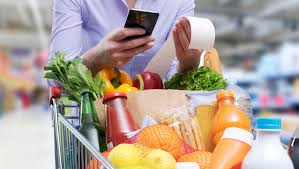
In today’s world, our phones are like supercomputers. We can use them for almost anything. Grocery shopping and meal planning are no exception.
There are many apps and websites designed to help. They can track what you have. They can suggest recipes.
They can even find the best deals at your local stores. Using these tools is a game-changer. They bring order to what can feel like chaos.
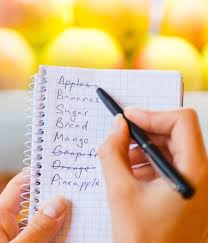
Think about the old way. You’d write a list on a scrap of paper. You might forget it.
You’d forget items. You’d impulse buy. Digital tools make it easy to update your list.
You can share it with family members. You can access it from anywhere. This means fewer forgotten items.
It means more intentional purchases.
Quick Scan: Top Free Tool Categories
- List Makers: Apps that let you create and manage shopping lists.
- Recipe Finders: Websites and apps with tons of recipes. Many let you filter by ingredients.
- Meal Planners: Tools that help you schedule meals for the week.
- Budget Trackers: Apps to help you monitor your grocery spending.
- Deal Finders: Apps that show you weekly ads and coupons.
Best Free Tools for Smart Grocery Shopping
Let’s dive into some specific tools that can make your grocery trips much smoother. These are all free and widely available. They offer different features.
You might find you like using a combination of them. Experiment to see what works best for your style.
1. AnyList
AnyList is a popular choice for a reason. It’s very user-friendly. You can create multiple grocery lists.
You can also add recipes and meal plans right into the app. A great feature is its recipe import. You can paste a URL from a recipe website.
AnyList will pull in the ingredients. This makes adding recipe items to your list super fast.
The app also lets you share lists with others. This is perfect for families or roommates. You can all add to the same list.
When someone buys an item, they can check it off. Everyone sees the updated list instantly. This avoids buying the same thing twice.
2. Flipp
Flipp is your go-to for finding deals. It’s an app that collects all the weekly ads from local stores. You can browse through them digitally.
You can search for specific items. Flipp will show you which stores have that item on sale. You can also “clip” digital coupons directly to your store loyalty cards.
This app is a real money-saver. It encourages you to buy what’s on sale. This might mean shifting your meal plan a bit.
But it’s often worth it. Instead of planning chicken for Tuesday, you might plan fish if it’s a great deal. It’s about being flexible and smart.
I use Flipp almost every week. I’ll browse the dairy section first. If eggs or milk are cheap, I’ll build my meals around that.
It’s saved me a surprising amount of money. It also makes grocery shopping feel like a treasure hunt.
Smart Shopping Tip: Price Comparison
Use Flipp: Check multiple store ads before you shop. See where your needed items are cheapest. This can save you dollars on a single trip.
Look for Sales Cycles: Many items go on sale every 4-8 weeks. If you see something you use often on sale, consider buying a bit extra if you have space.
Generic vs. Brand: Often, store brands are just as good. They are also usually cheaper.
Try them out for staples.
3. SuperCook
SuperCook is fantastic for using what you already have. You tell it what ingredients you have in your pantry or fridge. It then searches its database for recipes you can make.
This is brilliant for reducing food waste. You can stop those wilting vegetables from going bad.
It’s also great for finding new ideas. You might have chicken, broccoli, and rice. SuperCook can show you five different ways to combine them.
This prevents meal boredom. It also helps you get creative with your cooking.
I love SuperCook when I’m feeling uninspired. I’ll put in things like “canned tomatoes,” “pasta,” and “onions.” It gives me a list of simple pasta dishes. It takes the guesswork out of “what’s for dinner.”
4. Google Shopping
While not a dedicated grocery app, Google Shopping can be useful. You can search for specific food items. It will show you prices from various online retailers.
This can help you find the best online deals. Some services even allow you to order groceries for pickup or delivery.
It’s important to check delivery fees and minimum order requirements. But for pantry staples or items you know you’ll use a lot, it can be a convenient way to compare prices quickly.
Best Free Tools for Meal Planning
Once you’ve got your smart shopping strategies down, meal planning ties it all together. Planning meals ensures you use the food you buy. It also makes weeknights much less stressful.
Here are some top free tools for this.
1. Mealime
Mealime is a very popular free meal planning app. It focuses on healthy, easy recipes. You tell it your dietary preferences.
You can choose how many people you’re cooking for. You can select how many meals you need per week. Mealime then generates a plan.
It also creates a shopping list based on that plan.
The free version is quite robust. You get access to a good number of recipes. The interface is clean and easy to follow.
It makes the process of planning feel less like work and more like a helpful assistant.
I’ve used Mealime during busy periods. It’s amazing how quickly it can build a week’s worth of meals. The shopping list is automatically organized.
It’s usually by grocery store aisle. This saves so much time in the store itself.
Meal Planning Insight: Reduce Food Waste
Plan for Leftovers: Designate one night a week as “leftover night.” This ensures you eat those extra portions.
Batch Cooking: Cook larger portions of staples like rice, quinoa, or roasted vegetables. Use them in different meals throughout the week.
Ingredient Overlap: Plan meals that use similar ingredients. If you buy a bunch of cilantro, plan a taco night and a salsa recipe soon after.
2. Pinterest
Pinterest might seem like just for inspiration. But it’s a powerful, free meal planning tool. You can create boards for different meal types.
For example, you could have a “30-Minute Dinners” board or a “Healthy Lunches” board.
When you find a recipe you like, pin it. Over time, you’ll build a library of meals. You can then look at your boards when planning.
You can pull together a week’s worth of dinners from your saved pins. Many pins link directly to the recipe. This makes it easy to get the full instructions and ingredient list.
I have a “Weeknight Wins” board on Pinterest. It’s full of recipes that are quick and easy. When I’m stuck, I just scroll through that board.
It’s like my personal recipe book.
3. Budget Bytes
Budget Bytes is a website that is a goldmine for affordable recipes. While it’s not a planning app, its recipe structure is perfect for planning. Each recipe lists the cost per serving.
This is incredibly helpful for sticking to a budget. The recipes are also generally simple and use common ingredients.
You can browse their recipe index. Pick out meals that fit your budget and taste. Then, compile a shopping list from those chosen recipes.
The site is easy to navigate. You can filter by cuisine, main ingredient, or meal type.
I find myself going to Budget Bytes often. Knowing the estimated cost of a meal is so valuable. It helps me make sure I’m not overspending.
The recipes are also consistently delicious.
Contrast: Normal vs. Concerning Meal Planning Habits
Normal: Planning 3-5 dinners for the week. Buying ingredients based on the plan. Using leftovers for lunches.
Concerning: Buying random ingredients without a plan. Forgetting what you have. Relying on takeout most nights.
Throwing away spoiled food often.
4. Paprika Recipe Manager (Paid, but worth noting for its power)
While the core request is for free tools, it’s worth mentioning Paprika. It’s a paid app. But it’s so powerful it often becomes a one-time purchase that pays for itself.
Paprika allows you to save recipes from any website. It organizes them. It can create grocery lists from your saved recipes.
It also has a meal planner.
If you find yourself struggling with free tools and want to invest a small amount for a huge boost in organization, Paprika is worth considering. Many people use it for years.
Integrating Shopping and Planning: A Seamless Flow
The real magic happens when your shopping list and meal plan work together. Many of the tools above can do this. Let’s look at how to create that seamless flow.
1. Start with Your Plan
Choose your meal planning tool first. Decide on 5-7 dinners for the week. Add lunches or breakfasts if you plan those too.
Look at your schedule. Pick meals that fit your time and energy levels for each day.
2. Generate Your Shopping List
Once your meals are planned, use your chosen tool to generate a shopping list. If your tool doesn’t do this automatically, manually create one. Go through each recipe.
Write down every ingredient you need. Double-check your pantry and fridge first to see what you already have.
3. Refine with Deal Finding
Now, open your deal-finding app like Flipp. See if any items on your list are on sale this week. If a key ingredient for one of your planned meals is expensive but another is on sale, be flexible.
You might swap a meal if it saves you significant money. This is where smart shopping meets planning.
I often find that planning around sales is the most effective. If chicken breasts are BOGO, I plan two chicken meals. If they aren’t on sale, I might choose a different protein that is.
4. Organize Your List for the Store
Many apps, like AnyList or Mealime, will organize your shopping list by grocery store aisle. This is a huge time-saver. You can grab everything from the produce section at once.
Then move to dairy, then frozen foods. This reduces backtracking and impulse buys.
If your app doesn’t do this, take a few minutes to reorder your manual list. Group items by section of your typical grocery store. It’s worth the effort.
Your Digital Grocery Basket: How It Works
Step 1: Plan Meals – Decide what you’ll eat.
Step 2: List Ingredients – Note everything needed for those meals.
Step 3: Check Pantry – Remove items you already own.
Step 4: Find Deals – Adjust your list based on sales.
Step 5: Shop Smart – Use your organized list to buy efficiently.
Real-World Scenarios and Habits
Let’s consider how these tools fit into everyday life. Your habits and the environment you shop in matter.
The Busy Parent
For a parent juggling work, school runs, and activities, time is precious. Apps like Mealime are lifesavers. They do the heavy lifting of planning.
The automatic shopping list means less time spent compiling. Sharing lists with a partner ensures everyone is on the same page. Flipp helps find deals quickly, saving money that can go towards other family needs.
The Single Professional
A single person might struggle with buying too much food. This leads to waste. Tools like SuperCook are perfect.
They help plan meals around smaller quantities. AnyList can be used to make a list for just a few meals. This prevents impulse buys that might spoil before they are used.
The Budget-Conscious Student
Students often have tight budgets. Flipp becomes essential. They can plan meals around the cheapest items available.
Budget Bytes provides recipes that are both cheap and filling. Using a list maker ensures they only buy what’s needed, avoiding overspending.
The habit of checking sales first is key here. If pasta is on sale, a student can plan pasta dishes for the week. This stretches their food budget further.
They might also look for recipes that use inexpensive staples like beans and rice.
What This Means For You: When to Worry and When to Relax
Using these free tools isn’t about perfection. It’s about progress. If you’re feeling overwhelmed, start small.
When It’s Normal
It’s normal to occasionally forget an item. It’s okay if your meal plan needs tweaking mid-week. Life happens!
The goal is to build better habits over time. If you start using a list and planning a few meals, you’re already winning.
It’s also normal to sometimes deviate from the plan. Maybe a friend invites you out for dinner. Or maybe you just don’t feel like cooking what you planned.
The key is that you have a solid base to fall back on. You know you have the ingredients for future meals.
When to Worry
You might want to worry if:
- Your grocery spending is consistently too high, and you don’t know where the money goes.
- You regularly throw away a significant amount of food because it spoiled.
- Meal times are a constant source of stress and arguments.
- You feel like you’re always eating the same few meals because you don’t know what else to make.
If these points resonate, it’s a sign that these tools could really help you. They offer structure and guidance. They make managing your food budget and diet much easier.
Simple Checks You Can Do
Grocery Bill Review: Look at your last 3-4 grocery receipts. What are you buying most? Is it matching your meal plans?
Are there recurring items that are expensive?
Food Waste Audit: For one week, keep track of what food you throw away. What items are they? Why did they go bad?
List Habit: Do you make a list before you shop? Do you stick to it? If not, why?
Quick Fixes and Tips to Get Started
Don’t try to implement everything at once. Start with one or two tools.
- Pick One App: Choose either a list maker (like AnyList) or a meal planner (like Mealime) to start.
- Try a Simple Plan: Plan just 3 dinners for the week.
- Use a Digital List: Always use your phone app for your grocery list.
- Check Sales First: Before you even plan, glance at Flipp for major deals.
- One New Recipe: Try cooking just one new recipe from your plan.
The goal is to make small, consistent changes. These build into lasting habits. Even using a basic grocery list consistently will make a difference.
Quick-Start Flowchart
Start your week:
Feeling Inspired? -> Use Pinterest/Budget Bytes to pick meals.
Feeling Busy? -> Use Mealime to generate a plan.
Need to Save Money? -> Check Flipp for sales FIRST, then plan meals.
Have Random Ingredients? -> Use SuperCook to find recipes.
Once meals are chosen: -> Generate your shopping list in your chosen app.
Before shopping: -> Review your list and compare prices on Flipp again.
In store: -> Stick to your organized list!
Frequent Questions About Free Shopping and Planning Tools
Are there truly free tools that can replace paid apps?
Yes, many apps offer robust free versions. Tools like AnyList, Mealime, Flipp, and SuperCook provide excellent functionality without requiring payment. While some paid apps offer more advanced features, the free options are more than sufficient for most people to get organized and save money.
How often should I update my grocery list?
Ideally, you should update your grocery list as needed. If you decide to add a new recipe or realize you’re missing an item while cooking, add it to your digital list right away. For weekly planning, aim to finalize your main grocery list a day or two before your shopping trip.
What if my favorite store isn’t listed on deal apps like Flipp?
While Flipp covers many major retailers, some smaller or regional stores might not be included. In such cases, check the store’s website directly for their weekly ad. You can often find digital flyers there.
Some apps might also have community-submitted deals.
How can I get my family to use the shared shopping list?
Communication is key! Explain the benefits: fewer forgotten items, less duplicate buying, and everyone knowing what’s needed. Make it easy for them to access the app.
You might need to show them how to add items a few times. Positive reinforcement when they do use it helps too.
Can these tools help me eat healthier?
Absolutely. Many meal planning apps and recipe sites focus on healthy options. By planning your meals, you have more control over ingredients.
You can choose recipes that fit your dietary goals, like lower sodium, more vegetables, or lean proteins. SuperCook can also help you find recipes using the healthy ingredients you already have.
What’s the best way to start if I’m completely new to this?
Start with just one app. Try a simple list-making app like AnyList. Focus on creating a list for one grocery trip.
Once that feels easy, try planning just two dinners for the week. Small steps build confidence and create lasting habits. Don’t try to do everything at once.
Conclusion: Your Path to Smarter Eating
Navigating grocery aisles and daily meal decisions can feel like a lot. But you don’t have to do it the hard way. The free digital tools available today offer powerful support.
They help you shop smarter and plan your meals with ease. From finding deals to organizing your pantry, these resources are designed to save you time and money.
Embrace these tools. Experiment with what works for you. You’ll soon find yourself feeling more in control of your kitchen.
Enjoy delicious meals and a lighter budget. Your journey to stress-free, smart eating starts now!




Leave a Reply